
Incident Toolkit
Toolkit
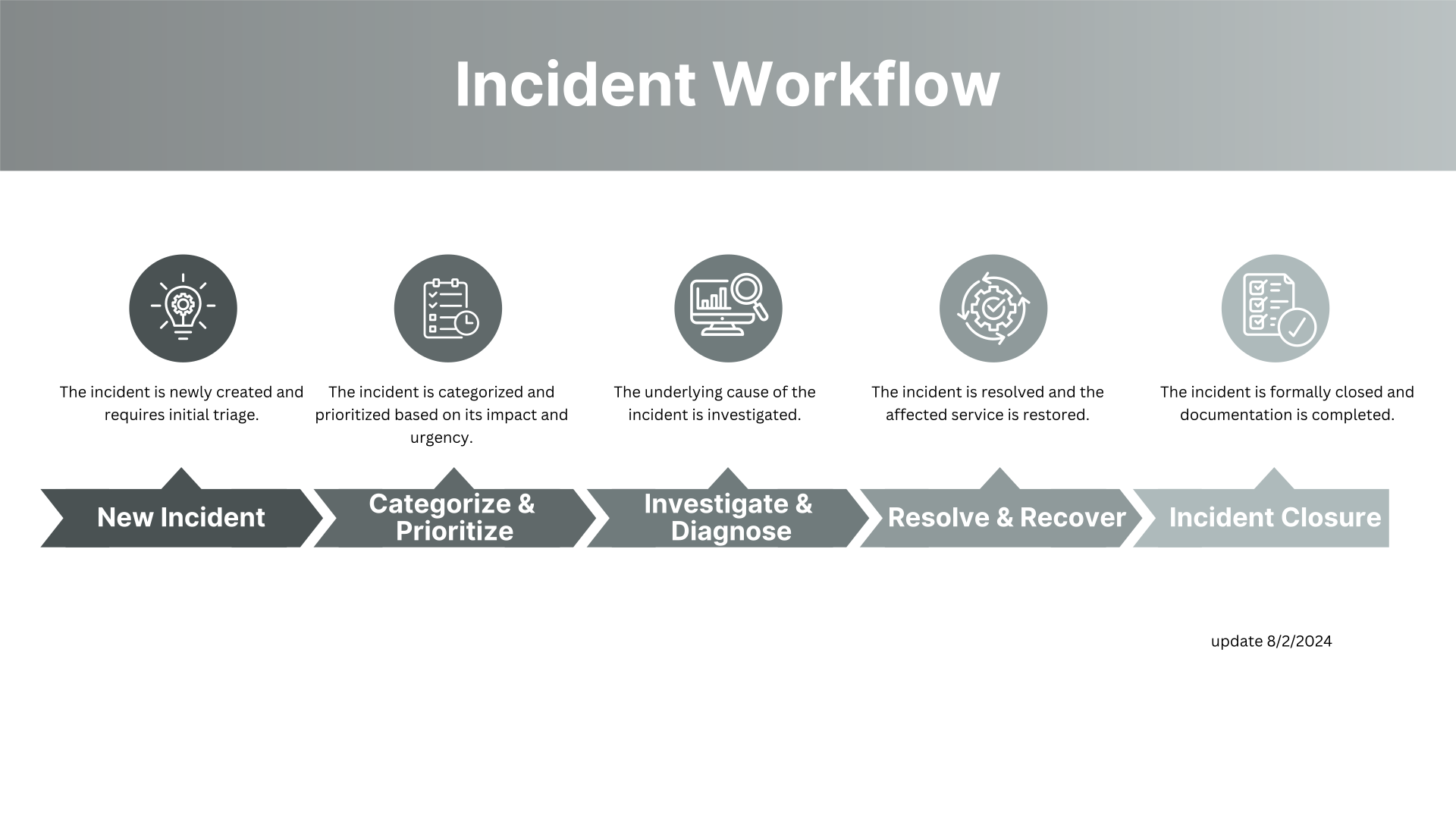
Workflow
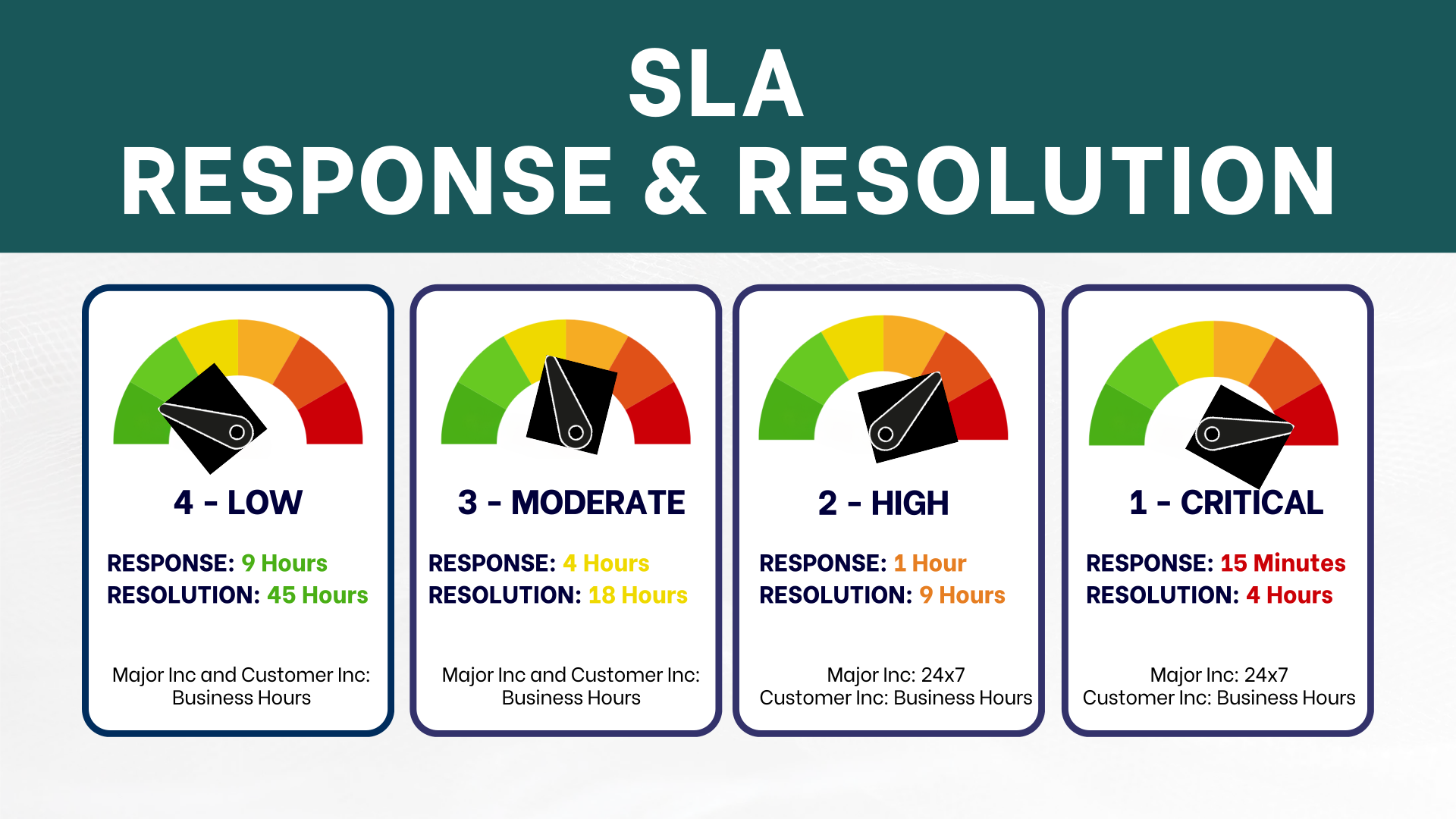
INCIDENT SERVICE LEVEL AGREEMENTS
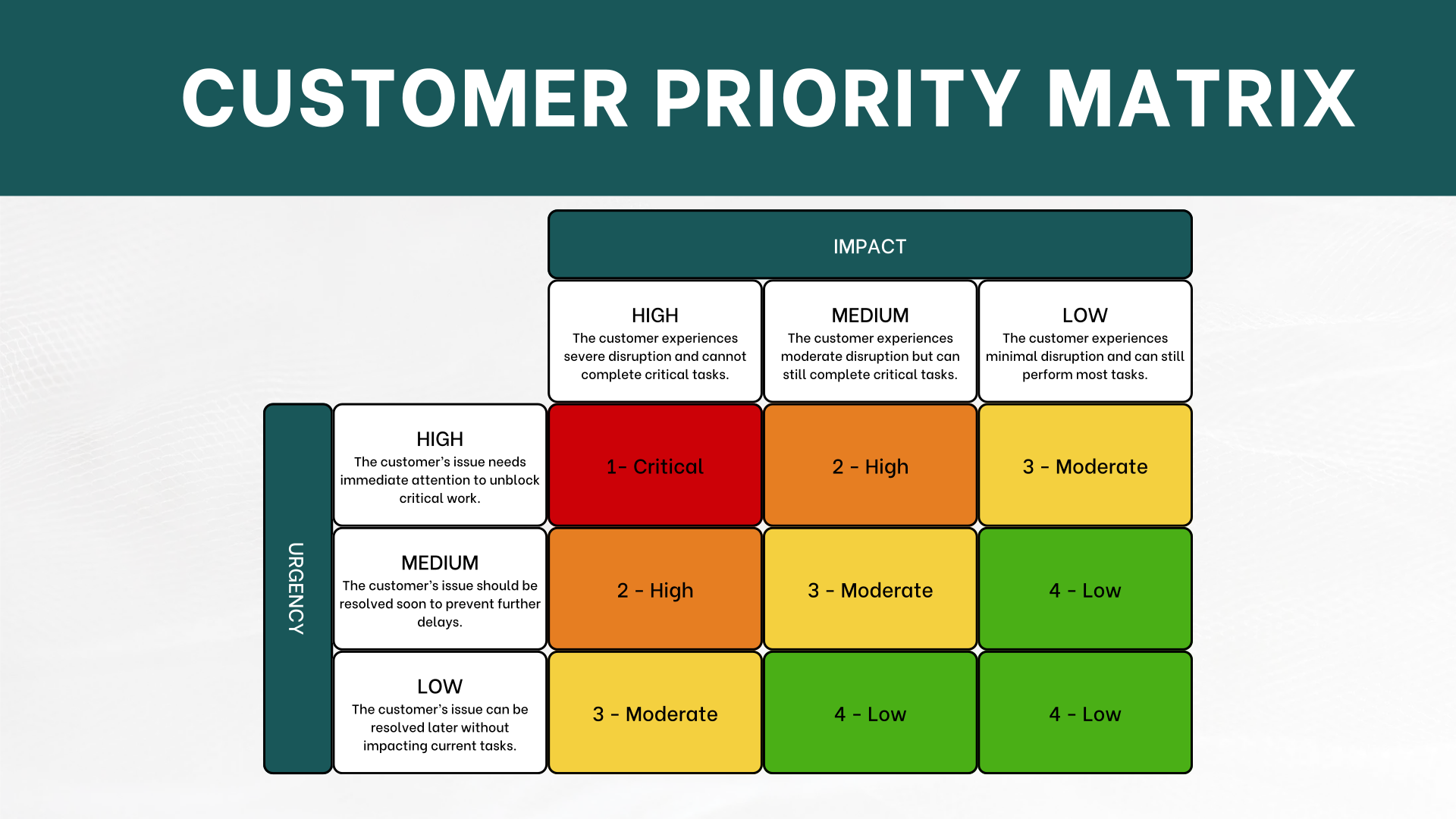
CUSTOMER PRIORITIZATION GUIDE
Incident States
Documentation Guidelines
Incident Service Level Agreements
Major Incidents affect critical services or large groups of users and require urgent, coordinated response.
Customer Incidents impact a single user or small group and are handled through normal support channels.
| Priority | Response | Resolution | Schedule |
|---|---|---|---|
| P1 - Critical | 15 min | 4 Hours | Major INC: 24x7 Customer INC: 8 am - 5 pm Weekdays (Excluding Holidays) |
| P2 - High | 1 Hour | 9 Hours | Major INC: 24x7 Customer INC: 8 am - 5 pm Weekdays (Excluding Holidays) |
| P3 - Moderate | 4 Hours | 18 Hours | Both: 8 am-5 pm Weekdays Excluding Holidays |
| P4 - Low | 9 Hours | 45 Hours | Both: 8 am-5 pm Weekdays Excluding Holidays |
Incident Priority Matrix
Incident States Explained
Incident states track where an issue is in its lifecycle and define what’s expected at each stage. Using the correct state — and updating it consistently — ensures accurate reporting, timely handoffs, and clear communication with customers and teams.
| State | What It Means | What Should Happen Here |
|---|---|---|
| New | Incident has been reported but not yet triaged. | Review initial details, confirm incident validity, and assign for investigation. |
| Assigned | The incident has been routed to the correct team or individual. | Acknowledge assignment, review context, and begin initial investigation. |
| Work in Progress | Investigation and resolution work is actively underway. | Document troubleshooting steps, engage additional teams if needed, and communicate status updates. |
| On Hold | Progress is paused due to an external dependency (e.g., waiting on user, vendor, or scheduled task). | Add clear notes explaining the reason for the hold and next steps. Update when the block is resolved. |
| Closed | Work has been completed but verification or follow-up is pending. | Validate that service is restored and all steps are documented. |
| Closed Complete | Incident is fully resolved, verified, and documented. | Ensure final resolution notes are added and customer communication is complete. |
Clear, consistent documentation ensures that incidents can be understood, escalated, and analyzed by anyone — now or in the future. It also improves communication with users, helps identify recurring issues, and supports accurate reporting.
| Documentation Area | What to Include | Why It Matters | Example |
|---|---|---|---|
| Work Notes | Step-by-step troubleshooting actions, findings, and technical analysis. | Ensures continuity if the ticket is reassigned and supports RCA later. | “Checked DNS records → Found misconfigured A record → Updated and flushed cache.” |
| Customer Updates | Plain-language status, progress, any needed user actions, and next steps. | Keeps customers informed and reduces repeated inquiries. | “We’re currently investigating the login issue. Next update in 1 hour.” |
| Closure Notes | Final resolution, cause, validation steps, and any follow-up recommendations. | Provides a complete record for reporting and future reference. | “Authentication error caused by expired SSO token. Renewed and confirmed functionality.” |